Connect
Plug in over USB or pair over Bluetooth. It works in Chrome, Edge and Firefox 108+, and connects even more closely in the macOS app.
Plug in a digital piano or MIDI keyboard over USB or Bluetooth. PianoBrain doesn't just listen — it speaks your instrument's language, so its own sounds, volume and metronome all line up with your practice.
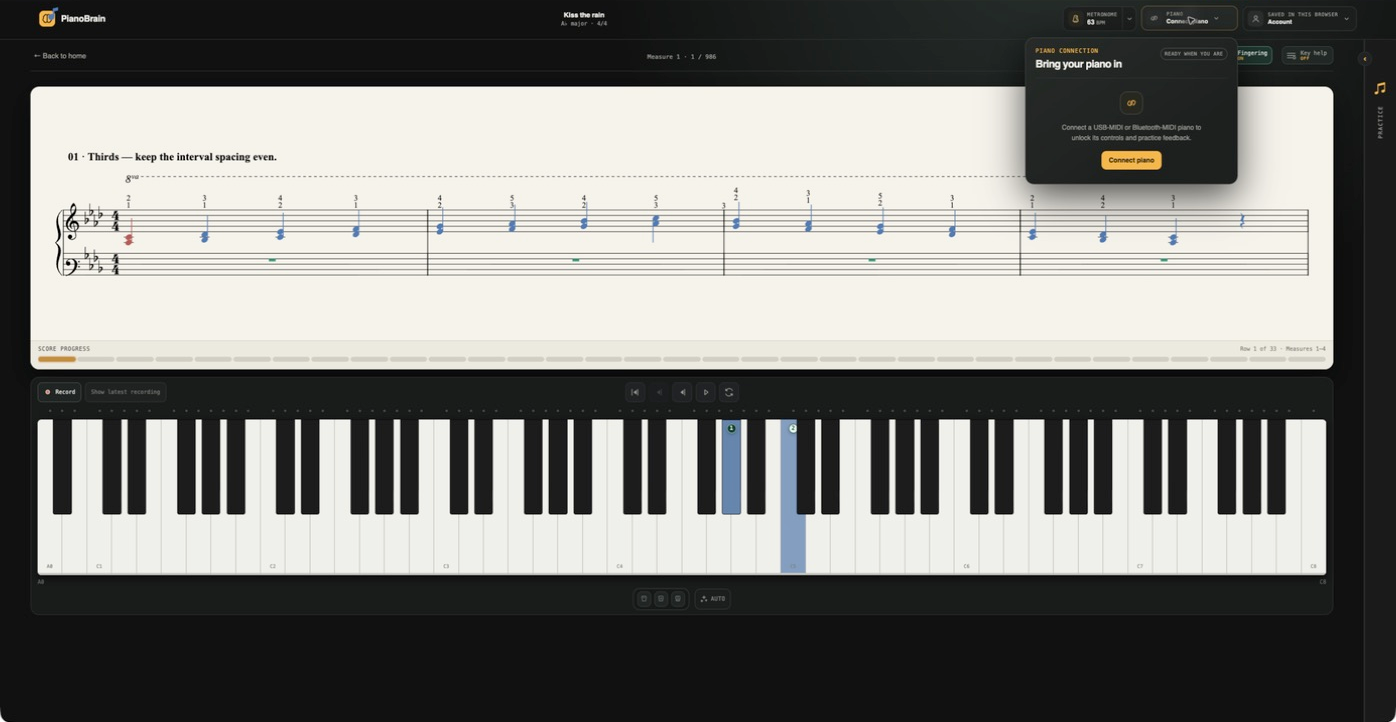
Plug in over USB or pair over Bluetooth. It works in Chrome, Edge and Firefox 108+, and connects even more closely in the macOS app.
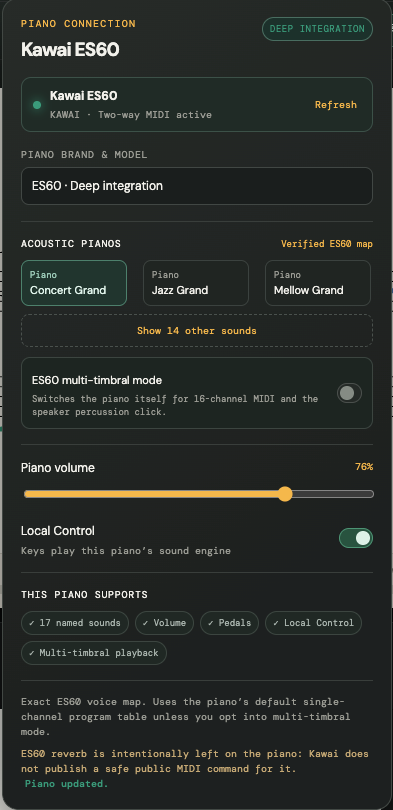
Pick your piano's brand and model and PianoBrain brings in its own named sounds, volume and reverb — so you can play through your instrument, not only ours.
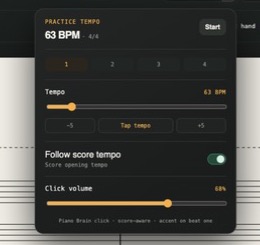
A metronome that reads the score: follow the written tempo, tap your own, add a count-in, and click through your computer or your piano's speaker.
Choose your brand and model and PianoBrain talks to the instrument directly: it brings in that model’s own named sounds, sets the piano volume and reverb, and can unlock its full set of built-in voices where the piano supports it. You get your instrument’s own sounds — not just PianoBrain’s sampled grand — with nothing to set up by hand.
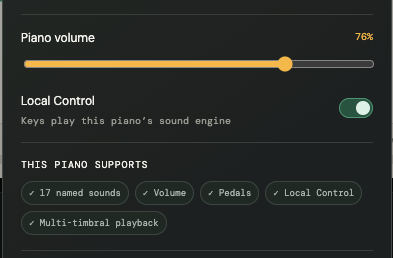
When PianoBrain is driving your piano’s sound, one press shouldn’t play twice. A single Local Control switch takes care of that — the app manages the routing so your playing, the score playback and the metronome all stay in sync, whether the sound comes from PianoBrain or your instrument.
Follow the tempo written in the piece — it moves with the music through every marked change — or set your own and tap it in. Add a count-in before you start, set the click volume, and choose whether the click comes from your computer or your piano’s own speaker. It stays aware of the time signature, with the downbeat accented.
For these models, PianoBrain maps the exact built-in sounds, volume, reverb and Local Control. Any other MIDI piano still connects and works — you just choose the sounds on the instrument yourself.
MIDI in the browser works in Chrome, Edge and Firefox 108+ on a computer or an Android phone. It can’t run on iPhone or iPad — Apple makes every browser there (Chrome included) use Safari, which doesn’t support it — so use a computer, or the macOS app. A digital piano or MIDI keyboard is required; an acoustic-only piano needs a MIDI pickup. More on the built-in pianos ↗
MIDI keyboard
Pair your piano in Bluetooth settings, then connect it here