In perfect time
No gap between pressing a key and hearing it, even in fast, busy passages — so your timing stays honest.
The web app starts free and instantly. The Mac app is for when you want the tightest feel — the sound keeps up with your fingers, your piano connects more closely, and you can even steer practice with your voice.
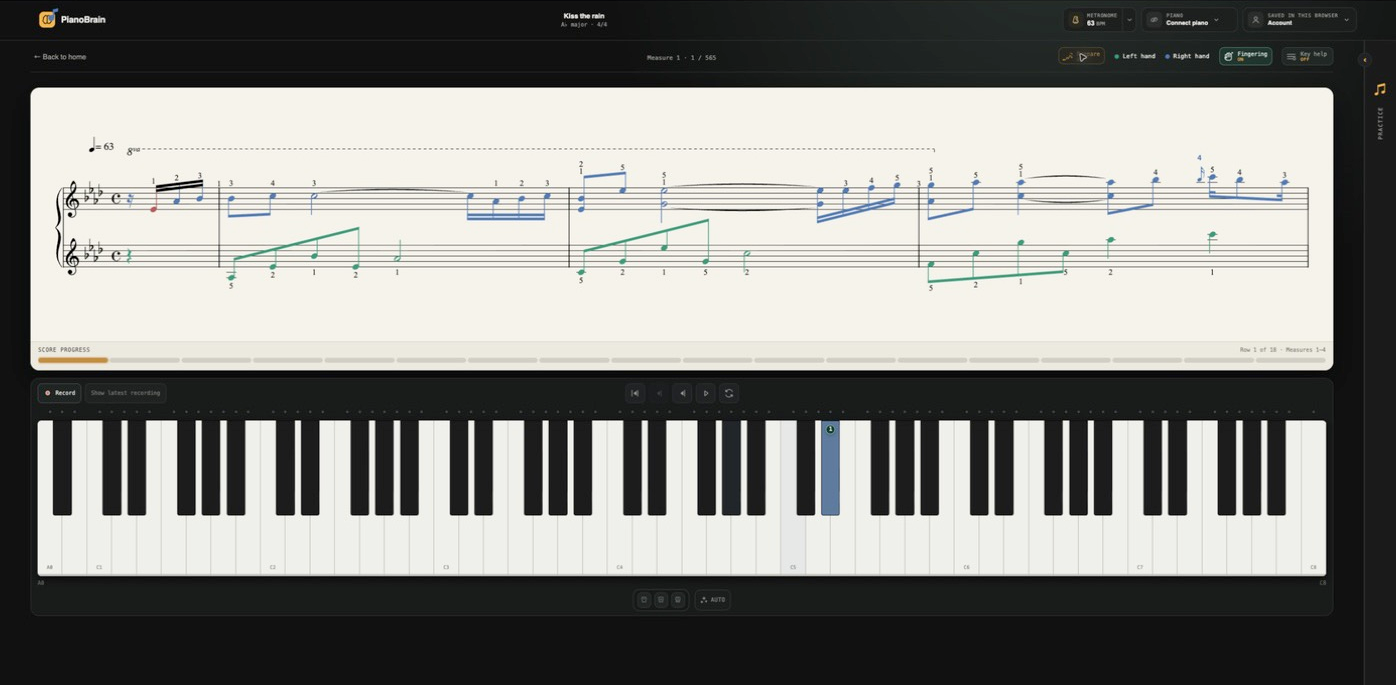
No gap between pressing a key and hearing it, even in fast, busy passages — so your timing stays honest.
A more direct connection to your instrument, so your playing comes through cleanly and every note in a big chord sounds clearly.
Steer practice with your voice, and play the richest grand PianoBrain offers — no internet needed.
Even a small delay between playing a note and hearing it will quietly pull your timing off — often without you knowing why. The Mac app notices when your speakers or headphones are running behind and tells you, in plain words, which output will feel tighter.
Wireless speakers and headphones are the usual culprits; something plugged in with a cable almost always feels better.
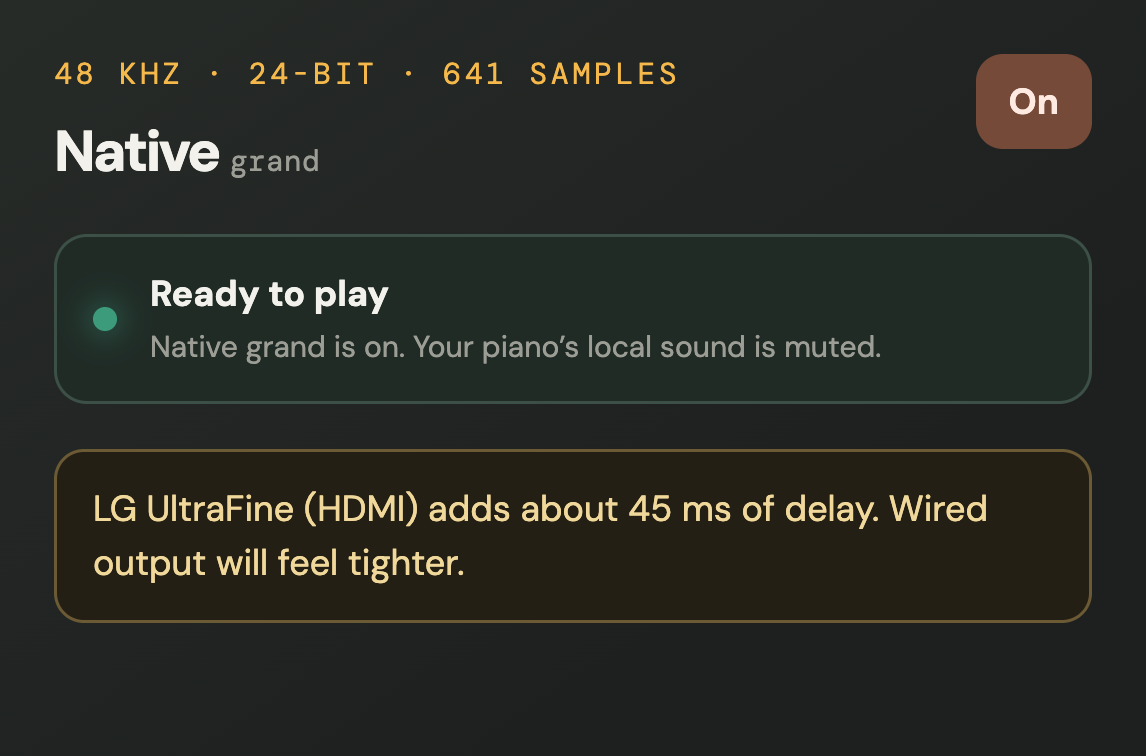

On the Mac, PianoBrain makes the sound more directly than a web browser can. The result is a tighter, more immediate feel — the kind you notice most in quick runs and big pedalled chords, where every note needs to speak at once.
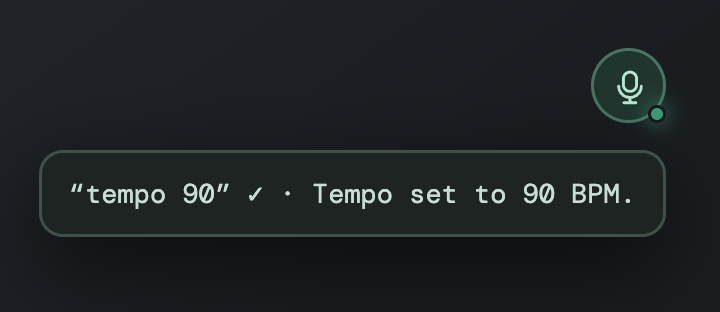
Keep both hands on the piano. The Mac app understands spoken commands — start and stop, play the score, record a take, switch hands, set the tempo, or open Prepare — recognised right on your Mac, even offline.
Start or stop score playback
Restart the current passage
Capture a take to listen back
Choose the hands you're working
Set the metronome tempo
Build exercises from the piece
Everything you learn in the browser is here — bringing in your scores, the note-by-note feedback, Prepare mode and the playing styles. The Mac app doesn’t change the practice; it changes how it feels to play. Start free in Chrome, Edge or Firefox, and any paid plan includes the Mac app.
MIDI keyboard
Pair your piano in Bluetooth settings, then connect it here